A photo privacy guide from AnonyMax
Is it safe to upload
photos to AI?
Before you ask it to hide something,
consider what you’re handing over.
The short answer
For a sensitive photo, protect the private details before uploading it to an online AI. The service receives the image you send; storage, human review and model training depend on its policies, your account and your settings. A private chat mode can reduce some uses of your data. It still sends the photo to the service.
“Hide the plates before I post this.”
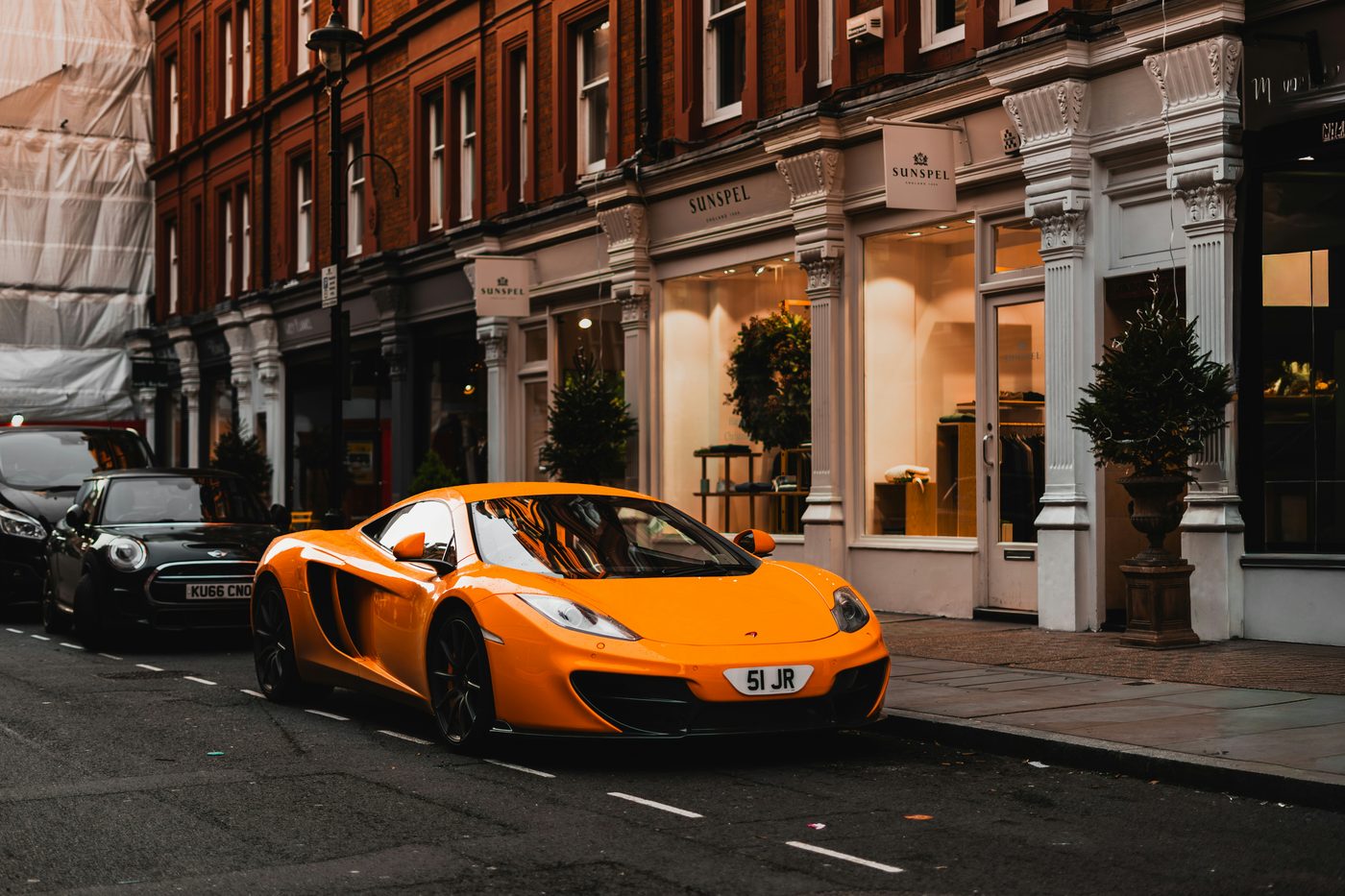
The edit comes later.
The original goes first.
You want a plate hidden. Or a child’s face covered. You send the photo to an online AI and ask it to make the picture private.
But the version you wanted to protect is the version you just handed over.
- You send the image.
The visible details you wanted hidden go with it.
- The service processes it.
Its data policies and your settings now matter.
- You get the result.
A covered copy does not undo the original upload.
Online services process submitted content under their data policies: OpenAI · Anthropic
What happens when
you upload a picture
to AI?
The result is one file.
The data relationship can last longer.
It can be stored beyond the edit.
Temporary modes have retention periods too. OpenAI may keep temporary chats for up to 30 days for safety. Claude’s incognito chats are retained for 30 days by default; an organisation’s settings can differ.1, 2
What about ChatGPT,
Claude and Gemini?
Start with the policy for your actual account.
These notes cover personal consumer use, checked 14 November 2026.
Is it safe to upload
photos to ChatGPT?
ChatGPT may use consumer content, including images and files, to improve models depending on your settings. OpenAI’s business offerings and API have different defaults.
Before sending: review Data controls. Temporary chat is excluded from model improvement while it remains temporary; saving it makes regular-chat settings apply. A copy may be kept for up to 30 days for safety.
Is it safe to upload
photos to Claude?
Claude’s consumer policy allows model improvement when you permit it. Safety-flagged conversations and feedback have additional rules. Paying for a personal plan is not the same as using a business workspace.
Before sending: review your model-improvement preference. Incognito chats are excluded from general model improvement and normally retained for 30 days. Enterprise retention can differ.
Is it safe to upload
photos to Gemini?
With Keep Activity on, Gemini activity and uploads can help improve Google’s AI, with human review. Reviewed material can be retained for up to three years after being disconnected from your account.
Before sending: turn off Keep Activity or use a temporary chat. Google says these chats are retained with your account for 72 hours. Safety processing still applies; feedback has separate rules.
These are summaries, not a guarantee of privacy or a substitute for the provider’s current terms. Work accounts, connected apps and third-party tools can follow different rules.
A little care.
Before you send.
You can use AI and still be deliberate about what it receives.
Check your photo’s hidden dataMake a copy with less in it.
Cover faces, plates, addresses, names and codes that the task does not need. Crop away unnecessary surroundings. Look at the whole picture, including reflections and the background.
Check the data inside the file.
A photo can contain location, dates and device details. What reaches a service depends on the picker and upload method. Our free browser checker reads common fields locally; it does not remove them or certify a photo as safe.
Choose the account and settings first.
Check training, retention and sharing controls before attaching a file. Consider a temporary or incognito chat. Remember that feedback or connected tools may have additional data rules.
Keep the most sensitive originals to yourself.
Our recommendation: keep IDs, intimate images, children’s identifiable photos and confidential documents out of online tools when the task can be done locally. Share a prepared copy only when you are comfortable with the remaining information.
Private & Offline
Hide the details.
Keep the original with you.
AnonyMax helps you find and cover faces, plates and codes, remove metadata, and re-check the saved copy. It works on your Mac, including offline. Review what it finds and add anything it misses.
A few seconds for an everyday photo. A little less to give away.
5 photos a month free. Pro is one purchase.
Before you attach
that photo.
Is it safe to upload my face or a child’s photo to AI?
An identifiable face is personal information worth treating carefully. Our recommendation is to keep it out of an online upload when the task does not need it. Use a prepared copy, consider the other people in the picture, and check the service’s rules. A training opt-out does not make the processing happen on your device.
Does ChatGPT read my photo’s location metadata?
OpenAI says its image model does not process original filenames or metadata, and resizes images before analysis. That describes the model’s image input; it is not a promise about every upload route or the service’s complete data handling. Visible signs and surroundings can also reveal a place. Read OpenAI’s image-input limitations.
Does a temporary or incognito chat keep my photo on my device?
No. These modes change history, training or retention rules for the online service. They still require sending the image to that service. ChatGPT and Claude publish different conditions; follow the rules for your account and check any connected tools separately.
Is every AI photo editor a cloud service?
No. Some software processes images on the device; other features require a server. Check the specific feature rather than relying on the words “AI” or “private.” AnonyMax’s finding, covering, metadata removal and final check run on your Mac. See how AnonyMax handles photos.
Will hiding a face or plate remove all private information?
No. Review the background, reflections, text, codes and metadata too. A covered face does not hide a school name or an address elsewhere in the picture. No automated detector finds everything. Keep control of the final copy and review it before sharing.